It’s service journalism time! If you’ve found a pothole, or a downed tree, or a dead animal, or a similar transient issue that you’d like to get fixed, the town has a new system called Resident Reporter that you can use to report the issue. You may remember reporting issues like this using the SeeClickFix service, but the town has moved on to this new system. Below, we’ll tell you how to use it and point out some of its challenges. Remember, if it’s an emergency, call 911.
First, a quick note. After this article was written, but before it was published, Chapel Hill’s Our Town newsletter reported that the town is taking steps to address some of the issues with the Resident Reporter discussed below. The full newsletter item is at the bottom of this article, and we’ll post a new article or updates if and when improvements are made.
How to get to the reporting website
There are a couple of ways to access the Resident Reporter. The most straightforward way is to visit the town’s website at chapelhillnc.gov and scroll down until you find the icon that says “Report Issue.”
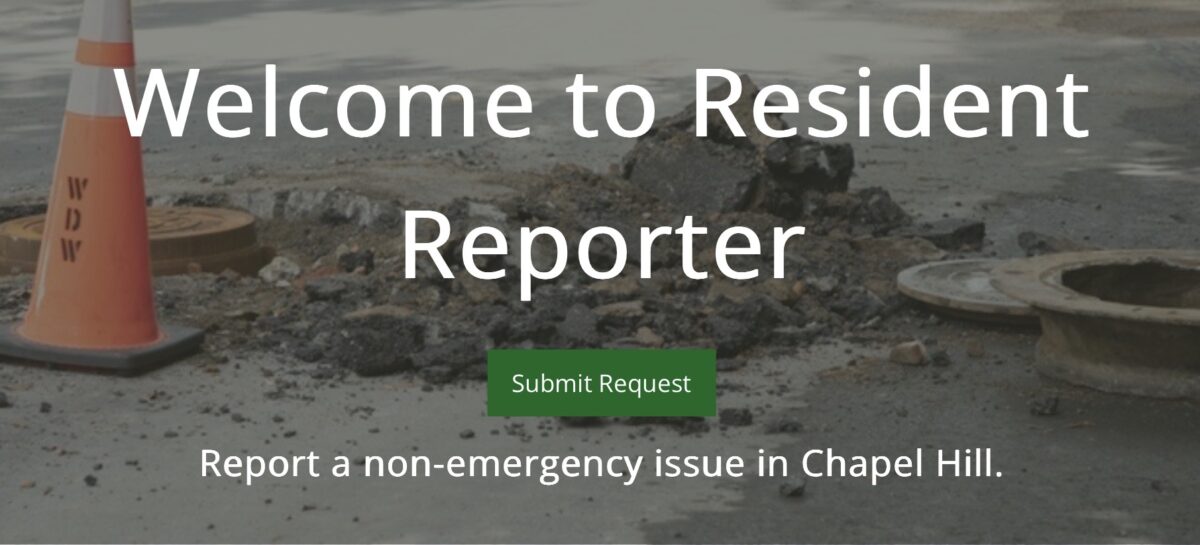
That will take you to a page where you can see all the reports (or recent reports) that have been filed. If you want to report an issue of your own, you’ll need to hit the big “Submit Request” button at the top of the page.
How to report an issue
You’ll arrive at a website that asks for details of your request, starting with the location. If you’re at the location where you want to make the report, you can agree to let it use your location and it will zoom in to that spot.
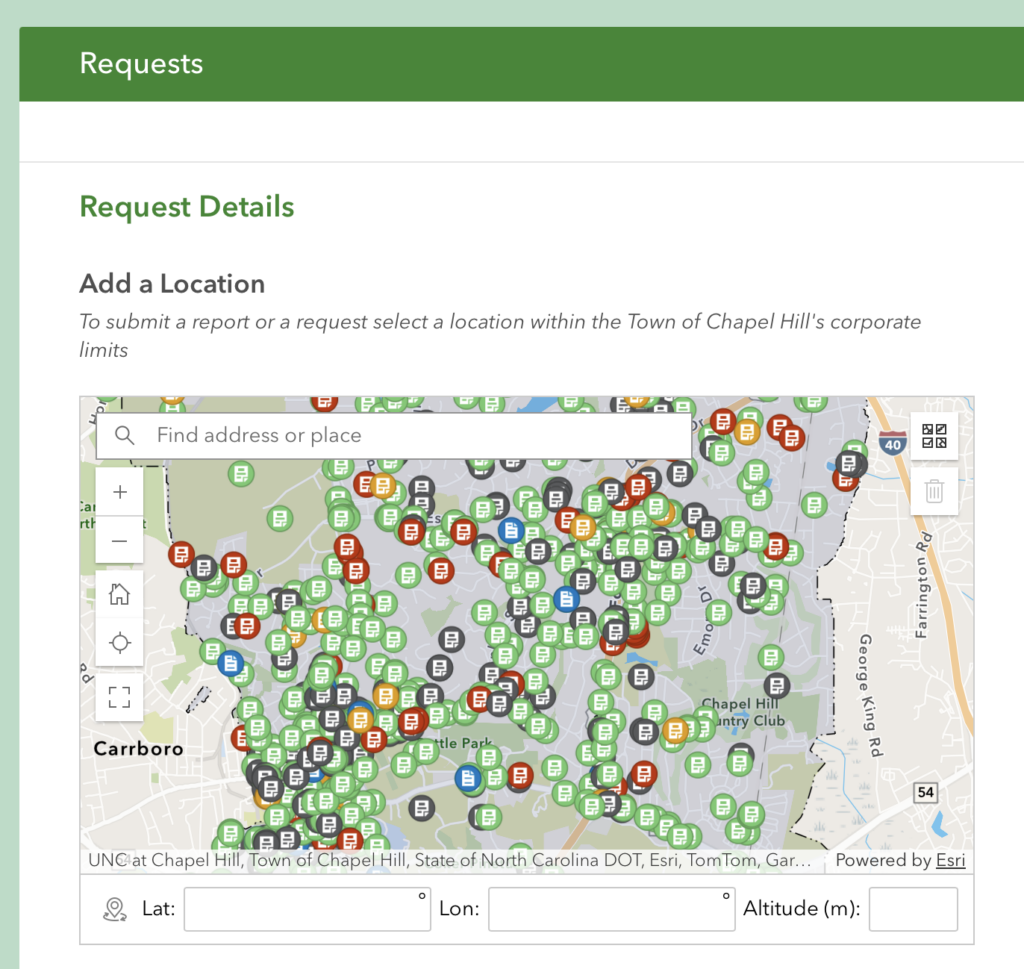
The map works just like a map app works on your phone or Google Maps on your desktop. Go ahead and zoom into the location where you want to report your issue and click to drop a marker, like in the example below.
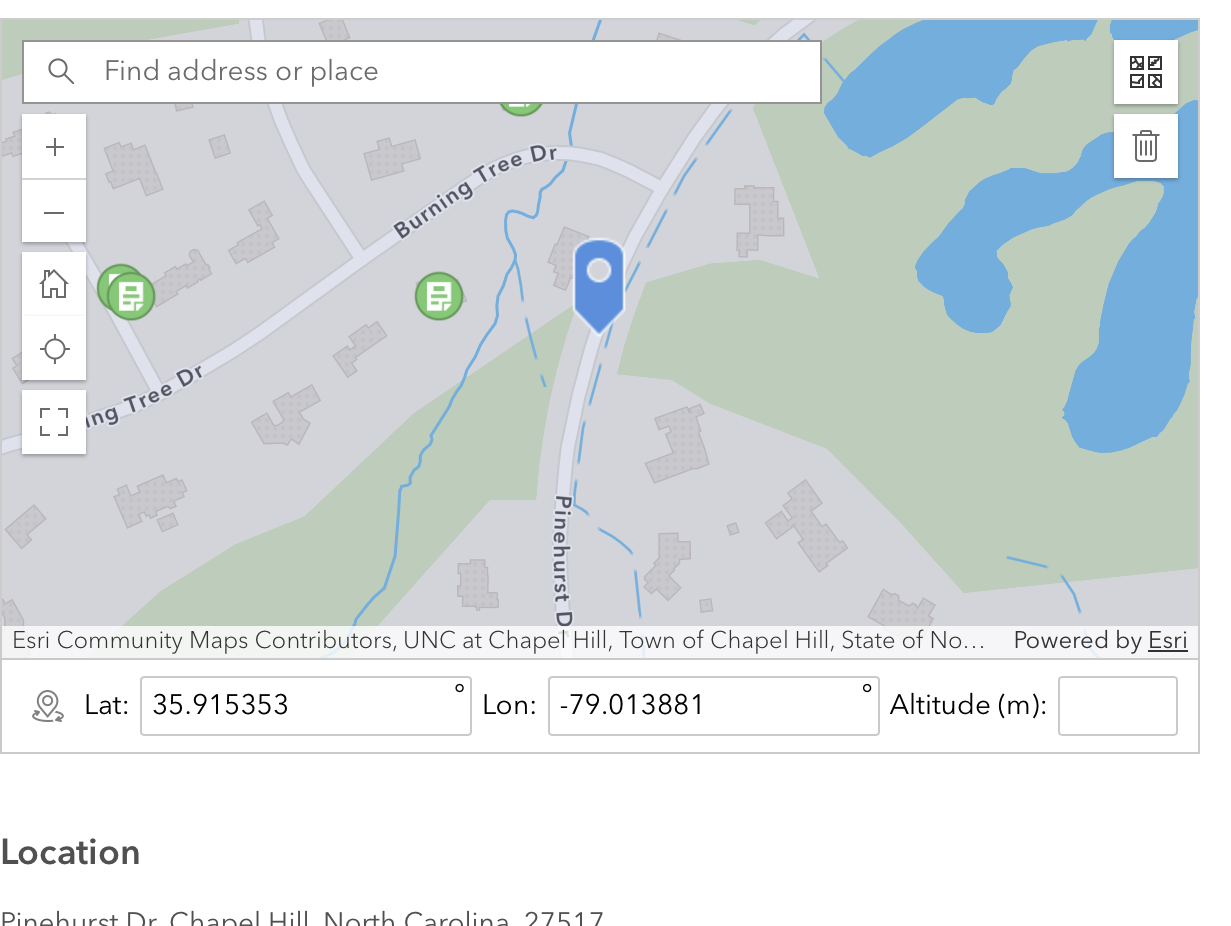
Once you’ve identified the location of the issue, you will be asked to “Select Request Category.” Scroll down and try to choose the best choice from the list. As of the time of this writing, the categories are:
- Dead Animal in roadway or on public property
- Other
- Overgrown vegetation in sidewalk or roadway
- Pothole or Sidewalk Issue
- Storm drain issue, flooding, or streetsweeping
- Traffic sign, signal, or pavement marking issue
- Trash or Yard Trimmings
- Tree or Parks Maintenance
- Water Pollution
Sometimes you may not know which category to choose. That’s fine! Click “other” and town staff will review and send the request off to the appropriate town department. (When in doubt, we would recommend choosing “other.” It is not always clear which category applies, and if you choose the wrong one, at best case it could cause a delay while it is shunted around town departments, and other times it will sit in limbo indefinitely.) If there is an issue with a traffic light not working or a broken pedestrian crossing signal, be sure to choose ‘Traffic sign, signal, or pavement marking issue,” because in our experience those will be addressed very quickly.
The report I’m filing here is for a pothole in the middle of the street, so I’m choosing “Pothole or Sidewalk Issue.” After choosing that category, I am asked to “Select Request Type,” and there are two more options: Pothole and Sidewalk Issue.
Note that every “Request Category” has at least one “Request Type” and you will need to make a selection before you can move on.
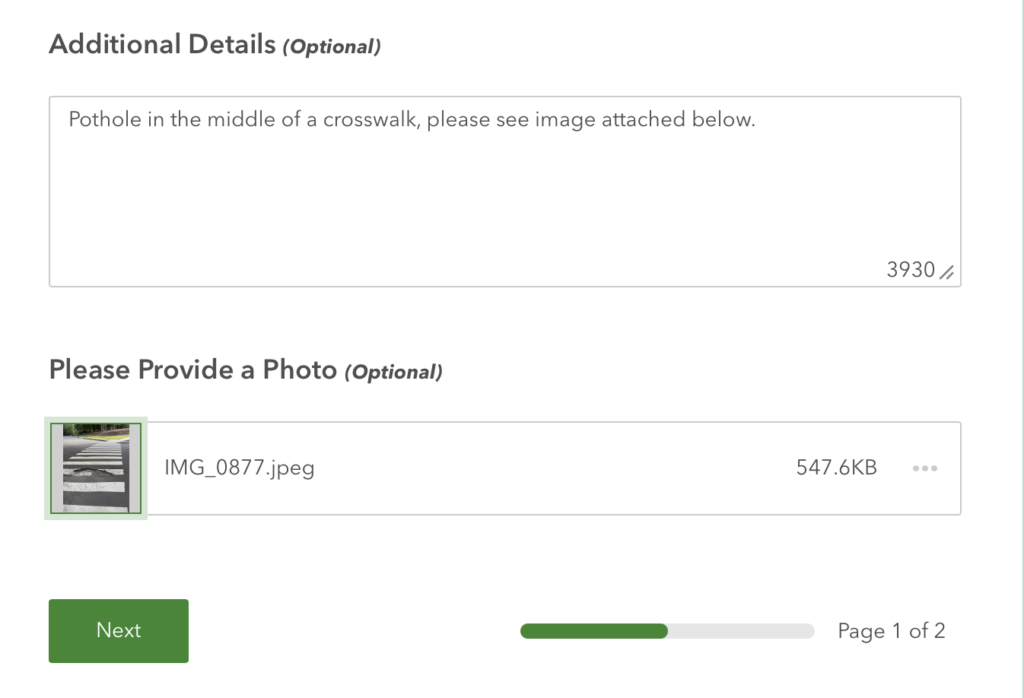
Finally, there will be two places where you can give optional information. First, you can write additional details of the request in “Additional Details (optional).” In addition, you can provide an optional photo. You can see that we’ve done both in the example below.
Click the Next button and you’ll be taken to a page asking for contact details. You can choose “yes” if you want to provide contact information, and “no” if not. If you do choose “yes,” you’ll be asked to provide your first name, last name, and preferred method of contact—and you’ll be asked to provide your phone number, email address, or both, depending on your selection.
Fill in any required information and, at the bottom, click submit! Your request will be routed accordingly. You will not receive an email or any other notification that your request has been received, although you should be able to see it on the Resident Reporter issue map.
How to follow-up on an issue
Short version: It’s not easy.
As far as we can tell, after submitting a request, there is no way to follow up on the issue within the Resident Reporter system.
As discussed above, the website asks your contact information but doesn’t send any notification, nor allow for follow-ups. In our experience and in others’ experience, the town very rarely responds to people who make reports using Resident Reporter. Your author has never received any follow-up.
On the Resident Reporter map, if you click on one of the previously-reported issues, there will be a pop-up box that shows the status of the report. There’s a line for “Comments” but we’ve never seen any helpful comment–and, unlike with the old SeeClickFix system, neither the original reporter nor other interested parties can leave comments.
There is a status bar that will list “Submitted,” Received,” “In Progress,” and “Completed” or “Cancelled,” with a color bar underneath, but you won’t get any indication when a report has moved from one status to another—you need to return to the website and scroll to the location of the report to check. And, sometimes requests will be stuck in “Submitted” for months, with no indication as to progress.
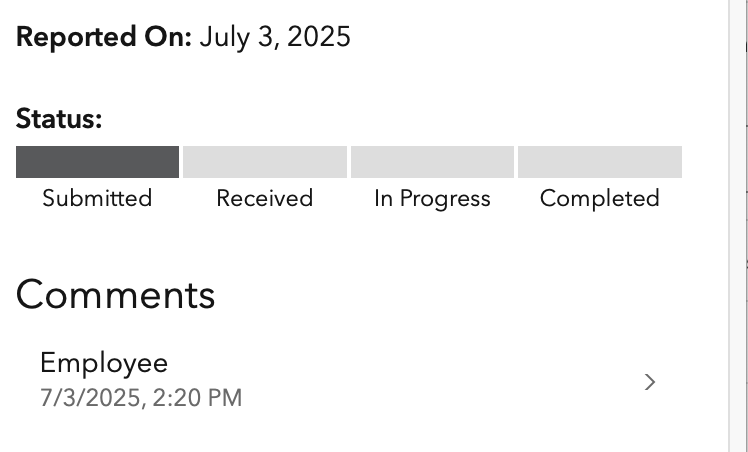
This is the only report where we’ve seen a comment, and you can see it is… not helpful.

If you make a report near your home, you can easily tell if the town has taken action. But if you’re a Good Samaritan and report a pothole you see somewhere else in town, you will have no idea if the issue has been addressed. The pothole I reported on Saturday (five days ago) is still listed as “Submitted.”
With respect to the hard-working town employees, you often will need to follow up. Once, I reported leaves that were blocking a bike lane and used the category of “other.” Town staff assigned the report to one of the request categories, but weeks passed and the leaves remained. I filed a duplicate report under the category of “overgrown recreation,” which was sent to Parks & Recreation, and that was apparently the wrong department, as nothing continued to happen. After an email to town staff, it was sent to the Solid Waste department, and the bike lane was finally cleared.
One of the frequently asked questions on the Resident Reporter website asks: “How do I provide feedback after my request has been completed?” and answers “If you share your email address with us, we’ll send you a satisfaction survey after the work has been completed.” We’ve filed multiple completed reports and have never received a satisfaction survey.
Update to the report illustrated in this article: The pothole was reported on Saturday, May 10, As of Sunday, May 18, it is still listed as “submitted.” However, the pothole has been filled, so the report has been appropriately addressed.
How to actually follow-up on an issue
If you happen to know town staff in the appropriate department, feel free to reach out to them. In our experience, town staff are helpful and will reply to emails promptly, usually within a couple of days. However, if you’re not on a first-name basis with town staff, or aren’t sure who to contact, try these steps.
First, send an email to the following address: [email protected]. Someone should get in touch with the correct person and send you an email reply with updates. Or, call the town’s main number at (919) 968-2743 and ask for an update.
What if you place a phone call or send an email and never get a reply, or get bounced around to multiple departments? The second step is to bring in the town decision-makers. Send a follow-up email to whoever responded to your initial email, or email [email protected] again, and copy one or both of the following:
- The town manager, Ted Vorhees, at [email protected];
- The mayor or Town Council members at their email addresses, or copy the entire council at [email protected].
The process is more aggravating than it needs to be, but at the end of the day your efforts can result in a pothole being repaired or a sidewalk getting cleared or traffic signals repaired, and improve the quality of life of other town residents. That’s a good feeling.
Is there anything else I should know if I’m reporting a pothole?
Potholes are quirky because the town does not own and maintain all of the streets in the town. Some streets in Chapel Hill are owned by the town, and the town is responsible for all maintenance on those streets. Other streets are owned by the North Carolina Department of Transportation (NCDOT), a state agency, and are maintained by them. In our experience, if you report a pothole to the town that is on a state-maintained street, NCDOT is not always informed. (Under the prior system, people reporting potholes on SeeClickFix often were told to tell NCDOT themselves.) But, if you do tell NCDOT, they are required by law to fill potholes within two business days, and they usually meet that requirement.
You can’t tell what is a town-owned road and what is a state-owned road just by looking at it. So, before reporting a pothole, it’s worth it to check the list of state-maintained roads within Chapel Hill. If the pothole is on a state-maintained road, you can report it at this NCDOT website.
So, what improvements will the Town be making?
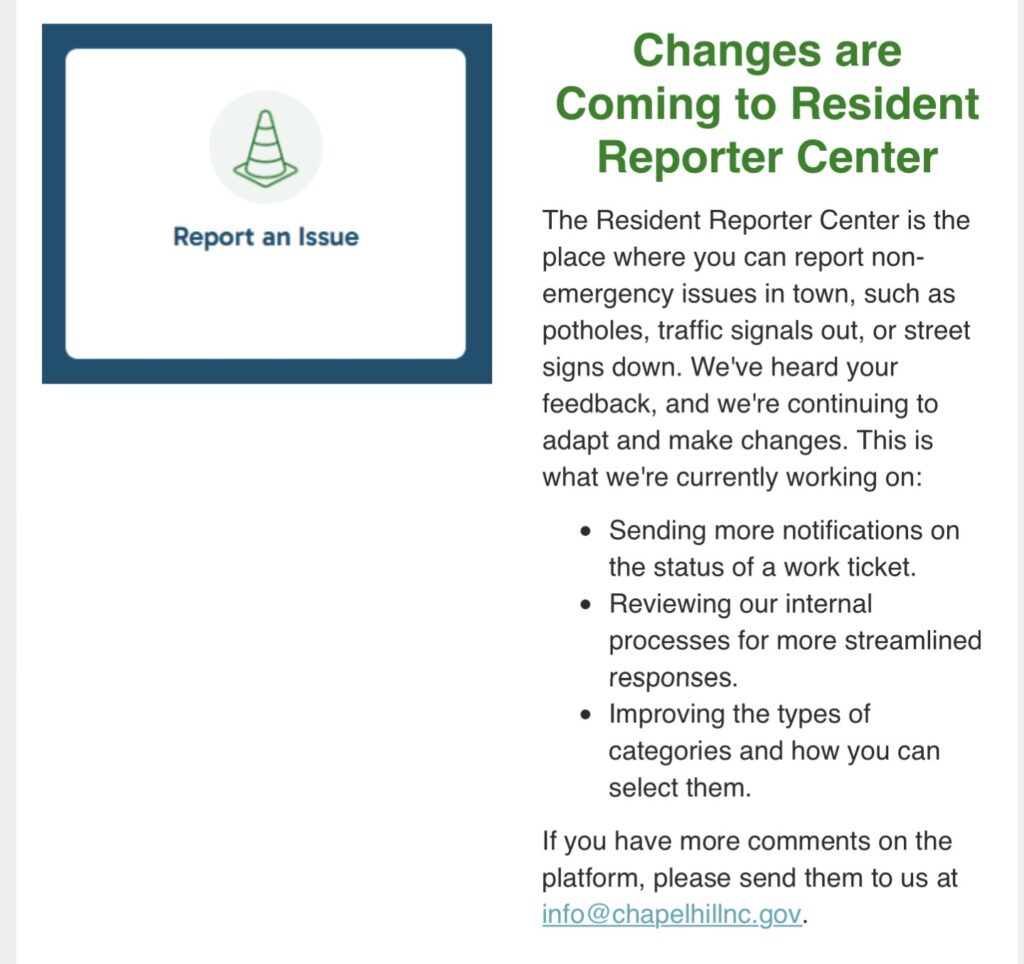
As promised, the Our Town newsletter item: